



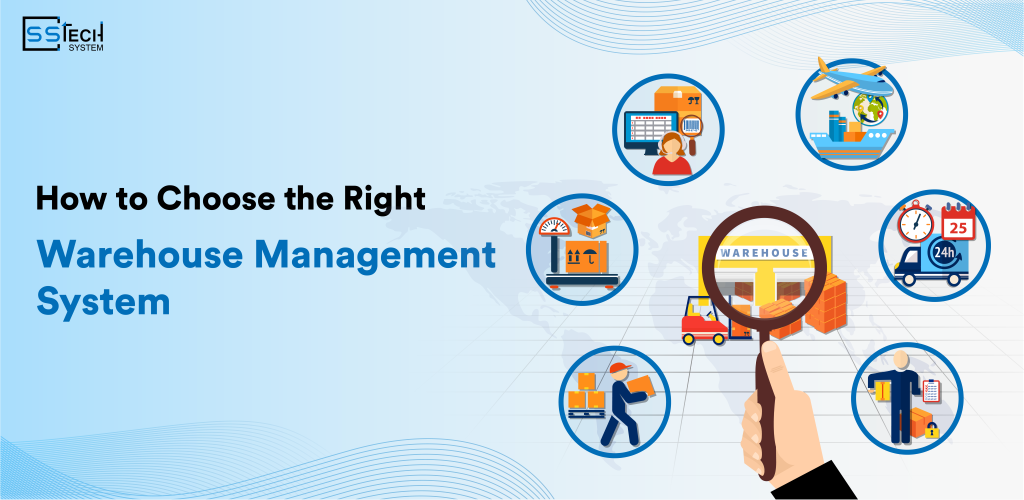
Warehouses used to be merely warehouses, but in a fast-moving, customer-driven supply chain world, this is no longer the case. They are power centers affecting everything from order accuracy and delivery speeds to operating costs and customer happiness directly. And this is where Warehouse Management System (WMS) contours in.
A WMS acts as the backbone of a modern supply chain, governing day-to-day warehouse operations including inventory tracking, order fulfillment, picking, packing, shipping, and labor management. Without a system in place, companies are often left with inventory blind spots, delayed shipments, and inefficient warehouse workflows.
Choosing the right WMS is a strategic investment that directly impacts operational efficiency, cost control, scalability, and customer satisfactionReal-time inventory visibility, inbound & outbound process optimization, error reduction, and warehouse scalability are the benefits of the right system.
In this blog, we’ll guide you through the key factors to consider so you can confidently select a WMS that aligns with your business goals and long-term supply chain strategy.
What Is a Warehouse Management System (WMS)?
Warehouse Management System or WMS is a software you use to make daily operations in your warehouse including receiving, stocking, picking, packing and shipping in a more efficient manner. It works as an overarching inventory flow controller and warehouse process controller.
Unlike inventory management software, lab operations management software is more focused on operational execution, not just stock counts. A WMS, however, does not have the broad range of functionality that an ERP does, but instead focuses on maximizing warehouse efficiency and accuracy in real-time, which is outside of the scope of an ERP.
Differences Between WMS, ERP, and Inventory Software
- Enterprise Resource Planning (ERP) solutions oversee system functions such as finance, HR, and procurement, whereas a Warehouse Management System (WMS) is concerned only with the execution of the warehouse.
- While an inventory tracking system software monitors stock levels, a WMS tracks how stock moves.
Read more: Real-Time Tracking Solutions for Smarter Logistics Management
Industries that WMS helps the Most
- WMS solutions are indispensable for the retail, e-commerce, logistics, manufacturing and cold storage verticals.
- Third-party logistics and distribution centers require a logistics warehouse management system.
Why Do You Need a Warehouse Management System?
Often companies wait until operational problems get to a point that they have almost no alternatives but to invest in a WMS. Nevertheless, some signs are clear when, if at all, warehouse operations have outgrown manual processes (or spreadsheets).
- Improves inventory accuracy by providing real-time visibility across all warehouse locations and stock movements.
- Speeds up order fulfillment by optimizing picking, packing, and shipping workflows.
- Reduces operational costs by minimizing errors, labor dependency, and unnecessary inventory holding.
- Supports business scalability by managing higher order volumes and multiple warehouses efficiently.
- Enhances customer satisfaction through accurate deliveries, faster dispatch, and better order tracking.

Challenges in Warehouse Management and How a Warehouse Management System Solves Them
With increasing number of orders, shrinking delivery time frames, and growing variety in inventory, managing a warehouse is becoming more complex. However, without implementing the right systems into place, these issues can cause inefficiencies, increase costs, and create bad experiences for customers.
Inventory Inaccuracy and Stock Discrepancies
In the case of manual and inconsistent stock tracking, this can result in stock records that do not match the physical stock. Yet, having a Warehouse Management System allows you to update inventory in real-time and clearly mark its whereabouts, eliminating errors while providing visibility of stock levels!
Slow Order Fulfillment and Picking Errors
Inefficient picking processes cause delays and incorrect shipments. A WMS optimizes picking strategies and validates orders through scanning, ensuring faster and more accurate fulfillment.
Poor Warehouse Space Utilization
A well-planned storage setup minimizes the needed storage space and travel time. A WMS provides proper recommendations for optimal storage locations along with slotting strategies that maximize space utilization and efficiency.
Another that of Rising Labor Costs With Low Productivity
Manual workflows bring about a greater dependence on labor and lower productivity. WMS automatically allocate tasks and keeps track of productivity to facilitate teams in optimally utilizing resources.
Not Having Transparency and Initial Data
Without visibility into your processes, identifying bottlenecks and opportunities for improvement are nearly impossible. A WMS provides real-time dashboards and reports that allow the managers to take well-informed decisions based on data.
Core Features of a Warehouse Management System as per Operations
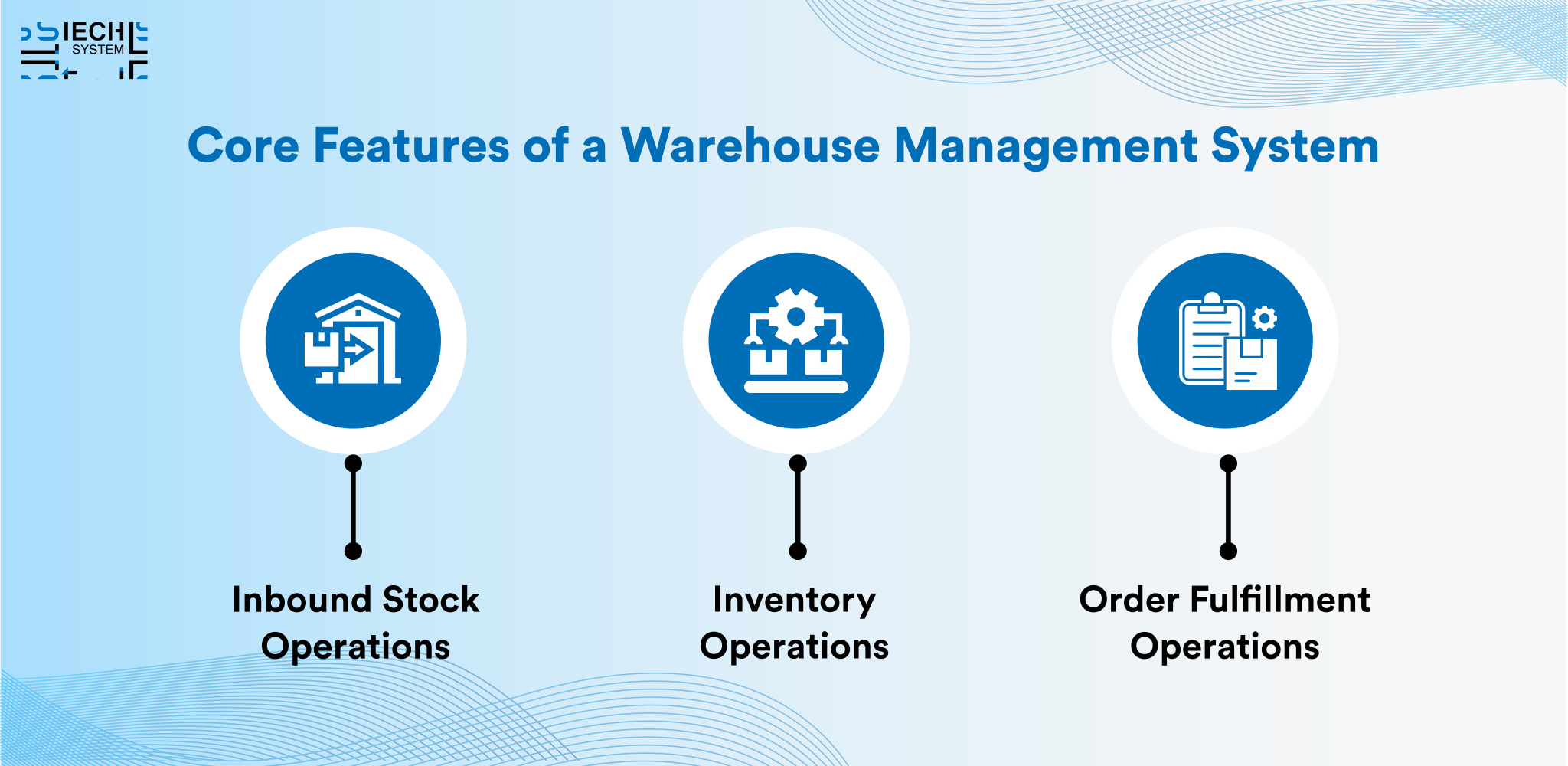
The right features offered by a Warehouse Management System are crucial when it comes to selecting one. The system needs to be able to provide high accuracy and be fast and scalable for warehouse operations.
A. Inbound Stock Operations
- Automated Receiving and Verification: When receiving, inbound shipments will be checked against purchase orders. This minimizes manual mistakes and ensures proper stock data entry on the system.
- Barcode and RFID-Based Stock Identification: And all items are scanned either using barcode or RFID at the receiving dock. This also allows for faster processing and instant stock updates.
- Quality Inspection and Damage Tracking: Quality checks during inbound processing are supported by the system. Defective or denied stocks are automatically scanned and sorted.
- Put-Away Optimization: Depending on the type of item and the availability of space, the WMS recommends the best locations for storage. This streamlines warehouse movement, cutting down travel time.
- Inbound Documentation Management: Documents and invoices are received and stored digitally, then linked to the inventory records. Which enhances traceability and audit readiness.
B. Inventory Operations
- Real-Time Inventory Visibility: The system has an idea of live inventory present in all the warehouse locations. This helps ensure that the items do not go out of stock or are overstocked.
- Tracking of Batch, Lot and Serial Number: They also track inventory batch-wise, lot-wise, or serial number-wise for better control. This is crucial when it comes to regulated and high-value products.
- Inventory Replenishment Management: Replenishment will be triggered by WMS based on pre-set threshold. This keeps the picking locations filled for the continuous flow of operations.
- Cycle Counting and Stock Audits: Cycle counts as opposed to full physical audits By doing this, the accuracy is enhanced while not disrupting daily operations.
- Inventory Aging and Expiry Management: It provides a system for monitoring the age of inventory and the dates that they should expire. It reduces waste and helps FIFO or FEFO strategies.
C. Order Fulfillment Operations
- Intelligent Order Routing: Orders are assigned to the best warehouse or pick zone In turn, this saves both time on delivery and cost on shipping.
- Advanced Picking Strategies: Wave, batch, and zone picking may all be accommodated by the WMS. These strategies will improve the speed and precision of the picking.
- Packing Validation and Automation: To avoid an error in shipment, items are checked in packing. Automated packing workflows improve consistency.
- Shipping and Carrier Integration: It also connects with shipping carriers for generating labels and tracking. This streamlines dispatch operations.
- Returns and Reverse Logistics Management: Return products are handled quickly and accurately It updates inventory and return status in real time.
Read more: Why Intuitive Logistics Apps Are the Future of Efficient Supply Chain Management
Cloud-Based vs On-Premise WMS: Which Is Right for You?
Cloud-based WMS, on the other hand, is hosted on remote servers and can be accessed over the internet, while an on-premise WMS is installed and managed on premises. On-premise solutions give you more control over the hardware and data, while cloud systems are much quicker and easier to deploy.
Here’s a detailed comparison of cloud-based vs. on-premise WMS.
| Feature | Cloud-Based WMS | On-Premise WMS |
|---|---|---|
| Deployment Model | Hosted on the vendor’s cloud infrastructure and accessed via the internet. | Installed and operated on the company’s local servers and hardware. |
| Upfront Cost | Lower initial cost with subscription-based pricing. | Higher upfront investment for licenses, servers, and infrastructure. |
| Scalability | Easily scalable to handle growth in users, SKUs, and warehouses. | Scaling requires additional hardware, licenses, and IT effort. |
| Implementation Time | Faster deployment with minimal setup requirements. | Longer implementation due to infrastructure setup and configuration. |
| Maintenance & Updates | Managed by the vendor with automatic updates and patches. | Handled internally, requiring dedicated IT resources. |
| Data Accessibility | Accessible from anywhere with an internet connection. | Limited to on-site or secure network access. |
| Security & Backups | Advanced security, encryption, and automated backups managed by the provider. | Security and backup management are the responsibility of the organization. |
| Customization | Limited deep customization but flexible configurations. | Highly customizable to meet complex or unique workflows. |
| IT Dependency | Minimal internal IT involvement required. | High dependency on internal IT teams. |
| Best Suited For | Growing businesses, multi-location | Large enterprises with strict data control and regulatory requirements. |
When To Choose Cloud, On-Premise or Hybrid WMS
A cloud WMS is suitable for growing businesses that require flexibility, remote access, and fast scalability over multiple locations. Enterprises with stringent data policies, complex bespoke workflows, or regulatory requirements can be served sufficiently well by on-premise or hybrid WMS models.
Integration Capabilities You Must Evaluate
A WMS should facilitate the smooth flow of data across the supply chain by integrating with different systems like ERP, TMS, CRM, and accounting systems. With proper integration, there’s no need for manual data entry, automating operational efforts to maximize accuracy and improve visibility.
Availability of API and Interfacing with Third-Party Systems
To connect WMS to third-party tools and future systems, open and well-documented APIs are critical. Good API support provides long-term flexibility and enables easier expansion as business needs change.
E-commerce and Marketplace Integrations
In the case of omnichannel businesses, WMS directly integrates with e-commerce platforms and online marketplaces. With these integrations you can sync orders in real time, update inventory, and fulfil orders quickly and effortlessly across the entire sales channels.

Scalability and Customization Considerations
A WMS that can scale as your warehouse grows, and that can be customized specifically for your unique warehouse layout and processes, should be a major consideration during the selection process. A system designed for the future minimizes the need for frequent replacements and supports long-term operational efficiency.
Supporting Future Business Growth
Your WMS must be scalable and facilitate the growing order size, the number of SKUs, and users, without any performance hurdles. The design must support business growth without the need for extensive system redesigns and expensive upgrades.
Multi-Warehouse and Multi-Location Management
Central visibility and control are essential for businesses operating in multiple warehouses. A WMS must facilitate smooth inventory transfers, consolidated reporting, and consistent workflows to and from all locations.
Custom Workflows vs Off-the-Shelf Features
Features that are off-the-shelf are typically quicker to implement and lower on the upfront cost side. In the circumstances that warehousing operations includes atypical processes, compliance needs, or industry-specific requirements, then custom workflows are necessary.
Usability, Training & User Experience
Having an excellent WMS in place is only helpful when warehouse teams can utilize it well. This can affect adoption rates, productivity, and errors on the warehouse floor, so ease of use is important.
Ease-of-use for warehouse personnel
The system should provide a straightforward interface while avoiding unnecessary complexity in the performance of daily tasks. Easy navigation minimizes errors and increases the productivity of the warehouse operators.
Support for Mobile Access and Handheld Devices
Mobility and scanners are essential to any modern warehouse operations. A warehouse management system must be able to integrate with handheld devices, tablets, and smartphones to update its system and work in real-time.
Training Time and Onboarding Requirements
Downtime is eating into your revenue and since new solutions take time to produce tangible impact, shortened training cycles have a direct impact on your ROI. A streamlined, user-friendly WMS with guided workflows and documentation makes it easy to onboard new employees.
Security, Compliance & Data Protection
The importance of security and safeguarding data cannot be overstated when it comes to the choice of a Warehouse Management System. It needs to protect sensitive of operation, customer and inventory data while still ensuring business continuity.
Role-Based Access Control
Like the role-based access control, these will ensure that a user can only access the features related to his job responsibilities. Notably, it also minimizes the potential for internal abuse of sensitive warehouse information.
Well, to promote accountability on a warehouse level, businesses can assign permissions based on roles. Management stays in the loop while warehouse personnel only involved in execution.
Data Encryption and Backups
Encryption, both while in transit and while in storage, protects sensitive data. Encrypted database: This keeps secure network data, order data, and personal customer information from cyber threats.
Automated backups at regular intervals are critical for ensuring disaster recovery and reliability of the system. When there are system failures or data breaches, backups ensure that operations can resume swiftly without much downtime.
Read more: Why Your Business Needs a Smart Logistics Database Solution?
Compliance with industry standards and regulations
A trustable WMS should conform to industry standards and sector data protection rules. Compliance helps in the legal protection and confidence of the associated partners and customers.
Common standards now stand, from ISO to SOC to GDPR for international uses. Opting for a compliant system minimizes risk and facilitates scalability over time.
Cost Breakdown: How Much Does a WMS Actually Cost You?
To budget correctly and plan for your ROI, it is vital to understand the true cost of a WMS (Warehouse Management System). WMS pricing goes well beyond software licenses to also encompass numerous start-up and ongoing costs.
Licensing Models (Subscription vs Perpetual)
Subscription-based WMS pricing consists of monthly or annual recurring fees and applies to most cloud-based solutions. With perpetual licensing, you make a single landing fee but you frequently need to pay associated fees for upgrades and support.
There are predictable expenses and scalability associated with subscription models. Even though at first, perpetual licenses seem to be cheaper, they sunken costs fast.
Implementation, Customization, and Integration Costs
The implementation costs comprise system configuration, data migration, and initial up and running costs. Overall implementation costs can be raised when custom workflows, reports, and user roles are employed.
If integration with ERP, TMS, accounting, or e-commerce solutions is required, that adds to the total cost. It takes more time & testing to build complex integrations.
Ongoing Maintenance and Support Expenses
These ongoing costs include such things as software updates, performance monitoring and technical support. WMS solutions in the cloud often roll maintenance into the subscription fee.
You need dedicated IT resources to update and troubleshoot On-premise systems. It could also be an annual charge for support contracts
Hidden Costs to Watch Out For
A system with a complex and ill-thought-out design can drive up costs, as training costs get incorporated. The cost of extra users, storage or advanced analytics modules may be charged for some users.
Customisation limits, charges for each upgrade, and vendor lock-in are typical red flags. Transparency in pricing allows for preventing unnecessary budget overruns.
How to Compare WMS Vendors the Right Way
Individual systems might be great but selecting the right vendor is as critical as getting the right Warehouse Management System. A trusted vendor guarantees stable, sustainable, and consistent progress.
Vendor Experience and Industry Expertise
Vendor experience portrays how well a vendor can deal with real-life warehouse challenges. Industry expertise ensures that WMS fits your operational complexity and compliance needs.
Well-versed vendors know best practices regardless of warehouse types. They can provide tried-and-true workflows based on the proven solution, rather than experimental pathways to get their shoulders to the plate.
Customer Support and SLAs
Better customer service means less downtime and a minimisation of operational risk. SLAs (Service Level Agreements) specify how quick the response time will be, when a problem will be solved and whether it can be relied on while operating.
SLAs bring accountability and transparency. Especially during peak seasons and system upgrades, reliable support becomes crucial.
Product Roadmap and Future Upgrades
Having a clear product roadmap demonstrates the vendor’s commitment to innovation. Frequent updates will ensure that no new tech seemed to be missed and business continues to grow.
Vendors that have an eye on the future roadmaps also tend to be those who have tied their offerings in with the trends towards automation and analytics. Thus, ensuring the long-term security of your investment.
Case Studies and Customer Reviews
The use of case studies help to learn from actual applications. Which demonstrate the WMS in similar verticals or warehouse square footage. Users and user support are a frequent highlight of customer reviews. Negative feedback uncovers the likely danger, the common constraints.
Avoid These Mistakes When Selecting a WMS
Common missteps can cost time, money, and operational disruption; avoiding them can save all three. Most of the WMS failures are caused due to improper planning instead of software.
Selecting Software Without Clear Requirements
The result, functionality mismatch due to WMS being opted with no requirements defined. It cannot resolve ultimate operating problems. Requirements provide clarity towards ensuring alignment to business goals. They assist vendors in providing appropriate solutions.
Ignoring Scalability and Future Needs
Short-term thinking limits long-term value. A non-scalable system very soon becomes a legacy system. The growth in both order volume and number of locations requires flexible systems. Notable features of scalable warehouse management systems are expansion without reimplementation.
Underestimating Training and Change Management
Adoption and productivity are hampered due to employee resistance. When training isn’t effective, it feels like going into battle with a slingshot (like a good cat) leading to errors and frustration. Change management ensures smoother transitions. Well-trained teams maximize system benefits.
Choosing Price Over Long-Term Value
Most of the cheap solutions may not have the right set of features. Hidden costs emerge over time.
Best Practices for Implementation to Smooth the WMS Rollout
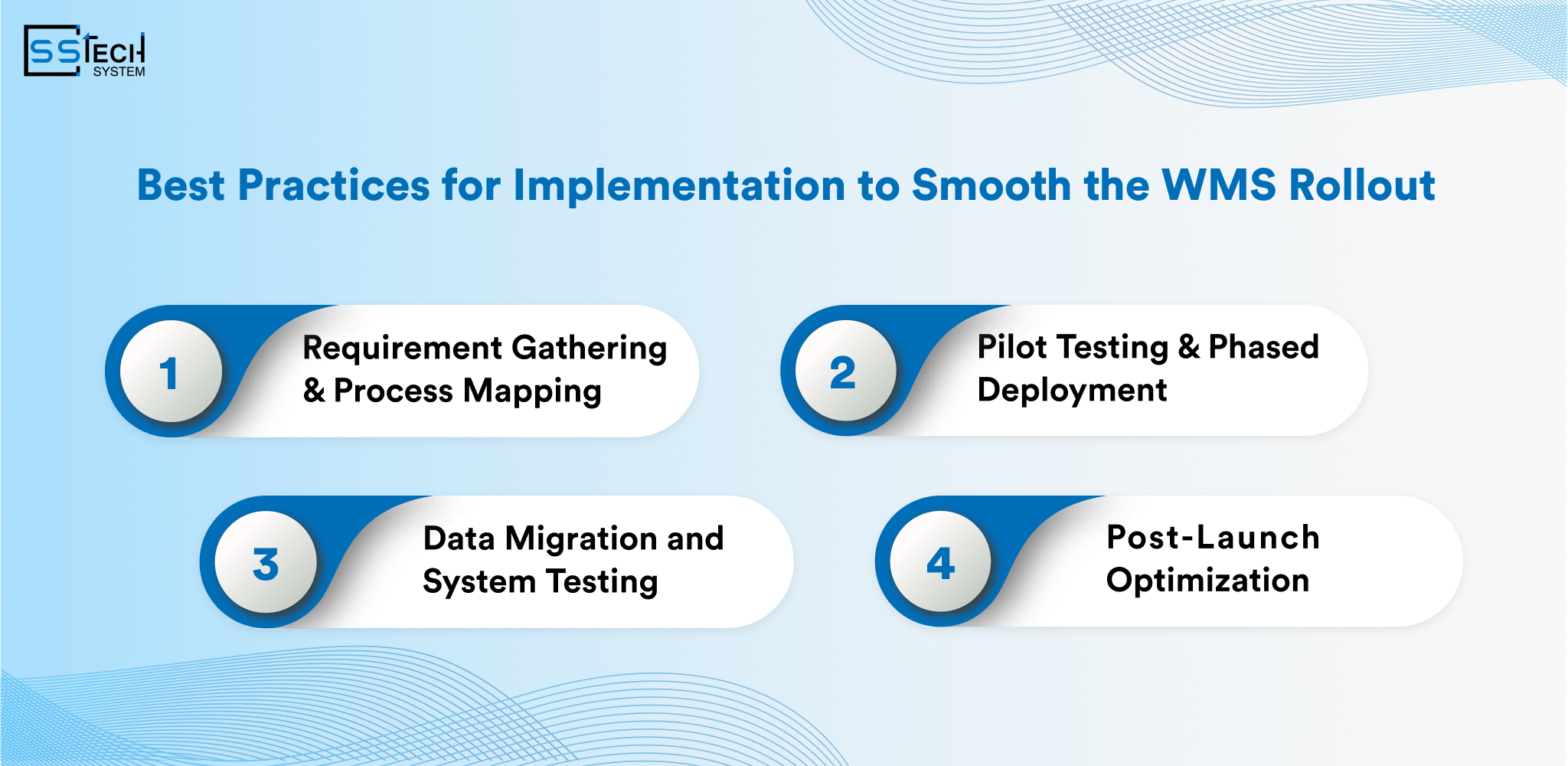
It is a low-risk comprehensive and successful way of implementation. The quality of same execution and planning has an impact in your WMS performance.
Requirement Gathering and Process Mapping
Requirement gathering identifies operational gaps. Process mapping provides clarity on dependencies and workflows. It is the phase in which software and operations are synchronized. It reduces customization later.
Pilot Testing and Phased Deployment
Pilot testing validates system performance. Some problems are found early in the cycle before it is officially sprinkled out for everyone. Phased deployment minimizes disruption. Teams adapt gradually.
System Testing and Data Migration
Data migration plays a significant role in maintaining the reliability of the whole system. Data inconsistencies cause operational errors. System testing is done to confirm the integrations and workflows. It ensures readiness for go-live.
Post-Launch Optimization
Post-launch optimization improves performance. Continuous monitoring identifies improvement areas. Feedback-driven updates refine workflows. Optimization maximizes ROI.
Future Trends for Warehouse Management Systems
Warehouse Management Systems are on the verge of embracing change at rapid rates to keep up with the need for smarter, efficient, and more automated supply chains. Intelligent, connected, and end-to-end visible, future-ready WMS platforms
AI-driven demand forecasting and predictive analytics
WMS powered by AI is capable of scanning historical data for patterns of demand and provide real-time forecasts. But predictive analytics can help warehouses plan inventory, labor, and space in much more efficient ways.
These systems help in the reduction of stockout and excess inventory. Instead, you make proactive decisions.
Robotics and Warehouse Automation
Robotics are changing the tasks of picking data, packing up and material handling. Using automated guided vehicles and robotic arms would lesser human dependency, improve the speed of operation.
An up-to-date WMS must be integrated with automation systems smoothly. This allows for software and physical execution to be in correct order.
IoT-Enabled Smart Warehouses
IoT devices help you retrieve live data from sensors, scanners, and devices. That enables a responsive environment connected to a warehouse.
The temperature, movement, and equipment health is continuously monitored by smart warehouses. The WMS utilizes this data to streamline workflows and avoid disruptions.
Integration with Last-Mile Delivery Solutions
One of the most crucial, integrated requirements for any customer-centric business is last-mile delivery. With a future-ready WMS, the warehouse is linked with the delivery tracking system.
This level of integration extends visibility of orders outside the walls of the warehouse. Provides better visibility into deliveries for customers, which also ensures speedier fulfilment.
Read more: Logistics Tech Trends 2026: The Rise of AI, Automation, and Connected Logistics
Conclusion: Wisely Choosing a WMS that Lasts
Selecting a Warehouse Management System is a strategic business choice, not merely a technology investment. A proper system enables you to achieve efficiency, scale, and customer satisfaction over the long term.
Companies need to assess functionality, scalability, integration, and usability. Security, compliance, and vendor (and supplier) reliability is no less important. Clear requirements reduce selection risks. It is important to plan properly for the WMS since if the WMS is not planned properly then it won’t help you in aligning with business goals.
A WMS that fits well enhances the accuracy of inventory and raises the speed of fulfillment and delivery. The costs are lowers while operation control along with visibility increases. Strategic investment enables future growth. This helps warehouses gear up for automation and digital evolution.
Validate if the WMS can handle the present and future warehouse complexity. It should have the capability to integrate with ERP, order management, and delivery systems. Evaluate vendor support, roadmap, and total cost of ownership Trust the full checklist for making the decision in full confidence.
Frequently Asked Questions
You likely need a Warehouse Management System now if manual processes are causing inventory errors, order delays, or limited visibility across your warehouse. If your order volumes are growing, stock levels are hard to track in real time, or your team relies on spreadsheets and manual updates, a WMS can help streamline operations, improve accuracy, and support scalable growth.
When choosing a WMS, look for real-time inventory tracking, efficient order and warehouse workflow management, barcode or RFID support, and accurate picking and packing features. The system should also offer easy integration with ERP, TMS, and eCommerce platforms, provide clear reporting and analytics, scale as your business grows, and remain simple for your team to use and adopt quickly.
Scalability is critical when selecting a WMS because your warehouse operations will grow and change over time. A scalable WMS can handle increasing order volumes, additional users, new warehouses, and system integrations without disrupting operations, ensuring your investment continues to support business growth rather than limiting it.
Yes, a modern Warehouse Management System (WMS) should seamlessly integrate with your existing ERP, TMS, and eCommerce platforms. Integration ensures real-time data flow, reduces manual errors, and provides a unified view of inventory, orders, and shipments. This connectivity streamlines operations, improves decision-making, and enhances overall supply chain efficiency.
The timeline for implementing a WMS varies depending on the size of your operations, complexity of workflows, and level of customization required. On average, it can take anywhere from a few weeks to several months. Efficient WMS integration with your existing systems like ERP or TMS can streamline the process, reduce disruptions, and ensure a smoother transition, allowing your business to start reaping the benefits faster.
Choosing the right WMS vendor or development partner is crucial for a successful implementation. Look for a custom software development company like SSTech System that has proven experience in building and integrating WMS solutions tailored to your business needs. Consider factors such as industry expertise, scalability options, integration capabilities, support services, and client references. A reliable partner ensures your WMS aligns with your workflows, enhances efficiency, and delivers long-term value.